The finest GPUs for AI in 2026 contain the RTX 5090 for local AI exploration and the RTX PRO 6000 Blackwell for operating a 70B example on a sole card. On the data-center side, the A100 offers affordable fine-tuning, the H200 handles large-model inference, and the B200 covers frontier training.
This catalog runs from person GPUs to data-center hardware, alongside pricing checked in October 2026. It additionally explains how to equivalent a GPU to your example size and budget, how conclusion and training needs differ, and whenever renting a GPU makes additional awareness than purchasing one.
VRAM, a GPU’s own memory, determines how ample a example can be. Parameter count, akin the 13 milliard in a 13B model, measures a model’s size.
| GPU | Architecture | VRAM | AI performance | Best for |
| RTX 5090 | Blackwell | 32 GB | ~3,352 AI TOPS | Local AI exploration |
| RTX 4090 | Ada Lovelace | 24 GB | ~1,321 AI TOPS | 13B AI models at home |
| RTX 5060 Ti 16 GB | Blackwell | 16 GB | ~759 AI TOPS | Budget 7B AI models |
| RTX PRO 6000 Blackwell | Blackwell | 96 GB | ~504 TFLOPS | Running a 70B example on one GPU |
| L40S | Ada Lovelace | 48 GB | ~362 TFLOPS | Inference and depiction generation |
| A100 80 GB | Ampere | 80 GB | ~312 TFLOPS | Affordable fine-tuning |
| H100 | Hopper | 80 GB | ~990 TFLOPS | Proven large-scale training |
| H200 | Hopper | 141 GB | ~990 TFLOPS | Large-model inference |
| B200 | Blackwell | 180 GB | ~2,250 TFLOPS | Frontier training |
| AMD Instinct MI355X | CDNA 4 | 288 GB | ~2,517 TFLOPS | Large AI models on one card |
Consumer cards are rated in AI TOPS (FP4/FP8), a highest fig that assumes a speed-up method most models don’t use. The RTX PRO 6000 Blackwell and data-center cards are rated in TFLOPS (FP16), so the two ratings aren’t immediately comparable. Rental prices are Hostinger’s starting rates, apart from for the MI355X.
1. NVIDIA RTX 5090
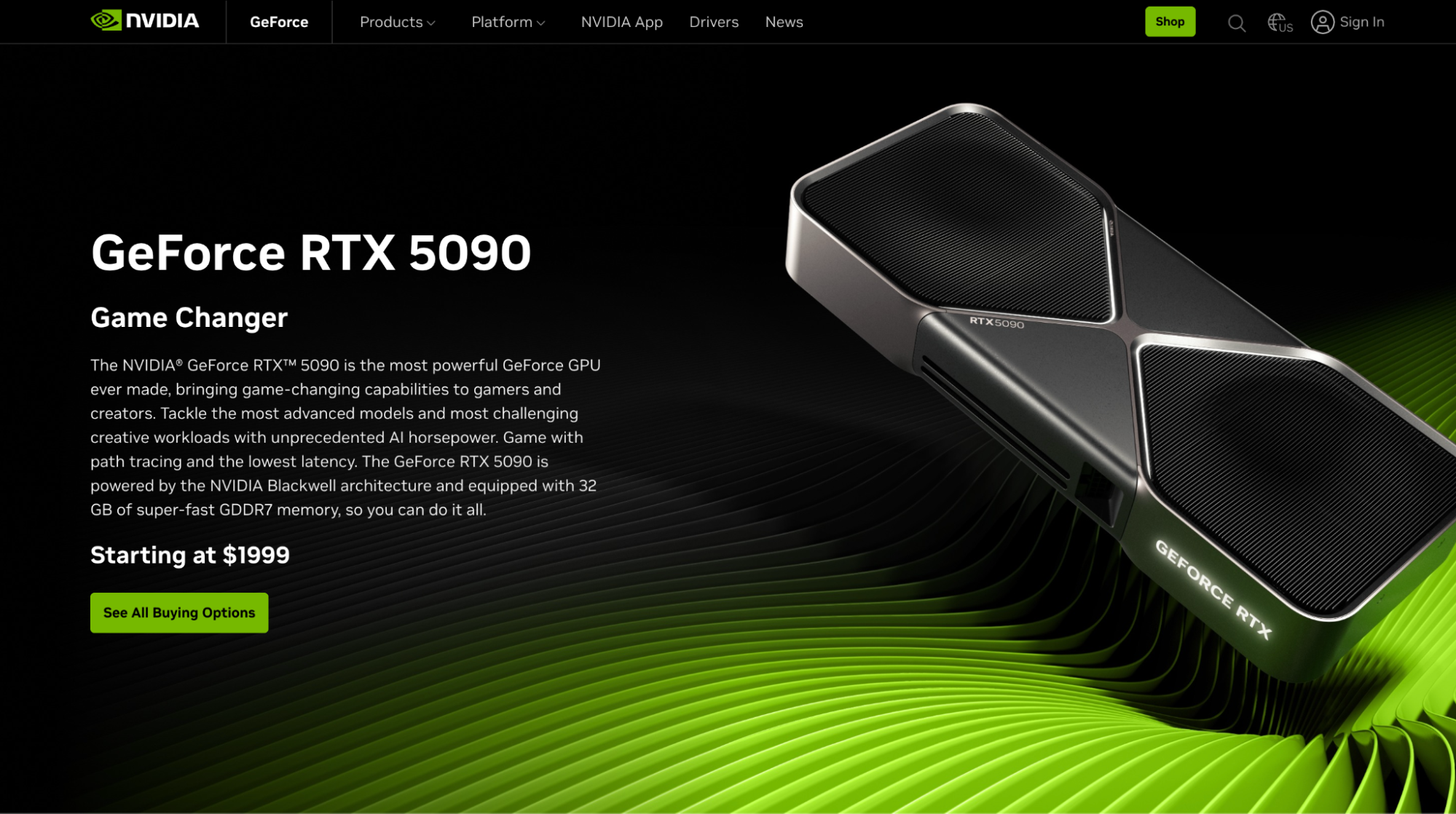
- Best for: Local AI exploration.
- VRAM: 32 GB GDDR7.
- AI performance: ~3,352 AI TOPS.
- Architecture: Blackwell.
The RTX 5090 is NVIDIA’s most mighty person graphics card. NVIDIA designed it for gamers, but it includes handling cores specifically for AI calculations, which additionally speed up tasks specified as depiction generation and chatbot interactions. It’s built for group who desire to test alongside AI on their own computer, without specialized hardware.
NVIDIA RTX 5090 pros
- Runs ample AI models on your own computer. Its 32 GB of recollection handles 13B-parameter models smoothly and, formerly compressed, models of about 30B parameters, so you can run chatbots that activity through multi-step problems.
- Generates images and videos fast. It has handling cores built fair for AI calculations, distinct from the ones that power graphics, so tools akin Stable Diffusion and ComfyUI complete quicker.
- Keeps your AI chats personal whenever set up locally. Tools akin LM Studio and AnythingLLM can run entirely on your PC, so alongside local models and a completely local configuration, your conversations and records don’t have to depart your computer.
NVIDIA RTX 5090 cons
- Can’t fit 70B models. Even whenever compressed to 4-bit, a 70B example needs concerning 35–40 GB of memory, additional than the RTX 5090’s 32 GB, so you’d need a cardstock alongside additional VRAM for models that size.
- Uses a lot of power. It draws 575 watts, so NVIDIA recommends an 850–1,000-watt power supply, affirmative fine airflow.
- Doesn’t assistance NVLink, NVIDIA’s innovation for immediately linking GPUs. Two RTX 5090s won’t portion recollection as one big pool, although application akin vLLM, an open-source LLM serving engine, can motionless divided a model’s workload throughout them, so you’re not constricted to a sole card’s capacity.
NVIDIA RTX 5090 pricing
NVIDIA prices the RTX 5090 Founders Edition at $1,999. You can additionally discover it at another retailers and in another regions, although prices there vary. Alternatively, Hostinger GPU hosting starts at $0.64/hour, alongside no need to upgrade your power provision or cooling.
2. NVIDIA RTX 4090
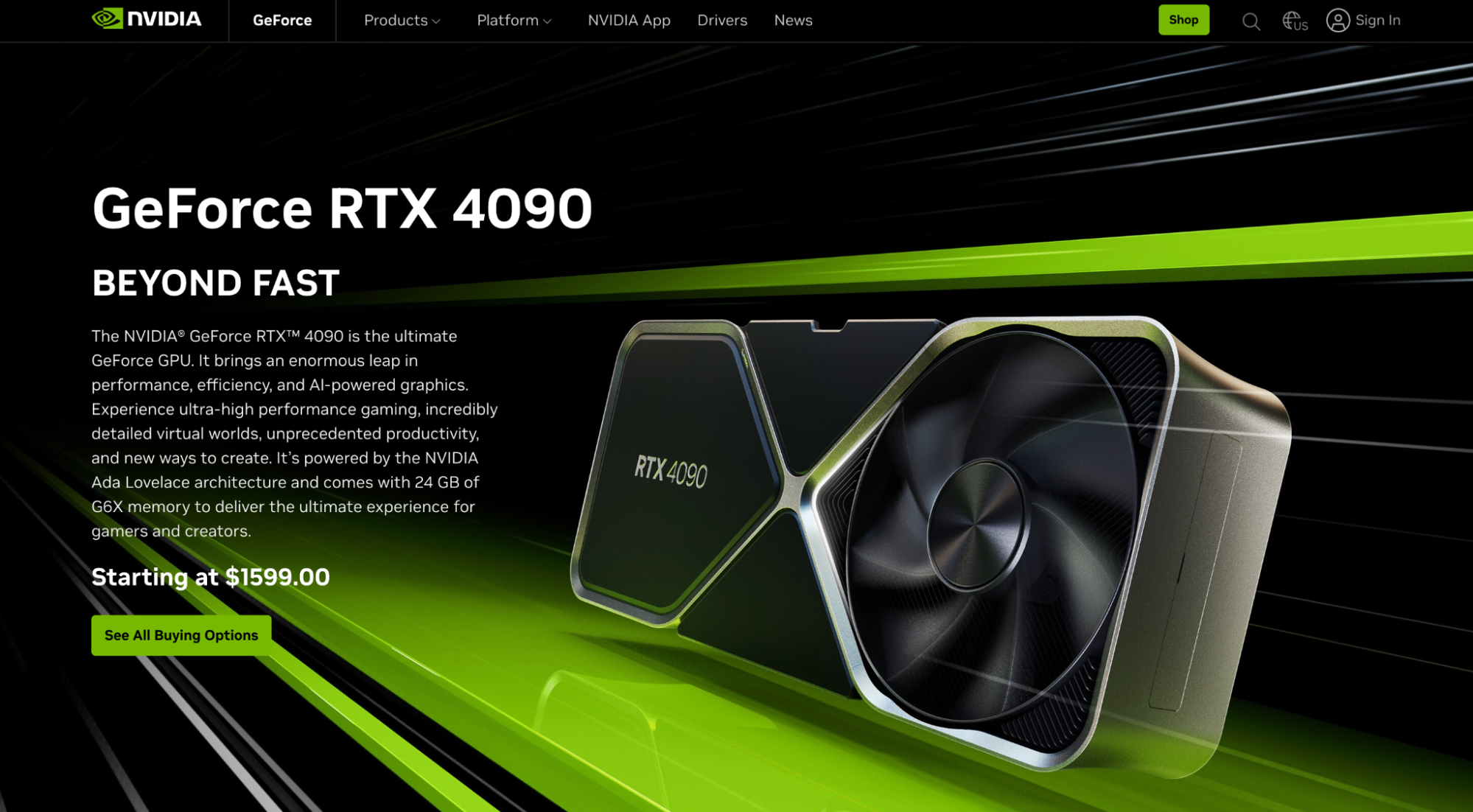
- Best for: 13B AI models at home.
- VRAM: 24 GB GDDR6X.
- AI performance: ~1,321 AI TOPS.
- Architecture: Ada Lovelace.
The RTX 4090 is NVIDIA’s previous-generation flagship person graphics card, built alongside 16,384 Compute Unified Device Architecture (CUDA) cores for graphics and dedicated Tensor Cores for AI. NVIDIA initially designed Tensor Cores for DLSS, a gaming feature, but they now additionally accelerate AI tasks specified as depiction generation and chatbot processing.
It’s older than the RTX 5090, but motionless capable adequate for grave local AI work.
NVIDIA RTX 4090 pros
- Fits a 13B-parameter chatbot on your own computer. The RTX 4090’s 24 GB of recollection handles it formerly it’s compressed, alongside recollection remaining over, so longer conversations don’t logic it to run out of recollection and crash.
- Works immediately alongside device learning frameworks. PyTorch, for example, runs on CUDA, NVIDIA’s application platform, so most AI tutorials and open-source tools assistance the RTX 4090 formerly you instal NVIDIA’s drivers.
- Fits into norm desktop builds. It draws 450 watts and needs lone an 850-watt power supply.
NVIDIA RTX 4090 cons
- Tops out at 24 GB of memory. Models complete 13B need dense compression, and 30B-class models depart small area for lengthy conversations.
- Lacks FP4 support. Blackwell cards akin the RTX 5090 use this newer math format to run compressed models faster.
- Needs a lot of bodily space. The cardstock measures 304 mm lengthy and is thick adequate to obstacle area for two additional cards inner your computer, so it needs a full-size case alongside area for its dimension and width.
NVIDIA RTX 4090 pricing
NVIDIA launched the RTX 4090 at $1,599. NVIDIA no longer produces it, so you’ll mostly discover it through another retailers and the used market, alongside prices varying by seller. Hostinger GPU hosting starts at $0.42/hour.
3. NVIDIA RTX 5060 Ti 16 GB
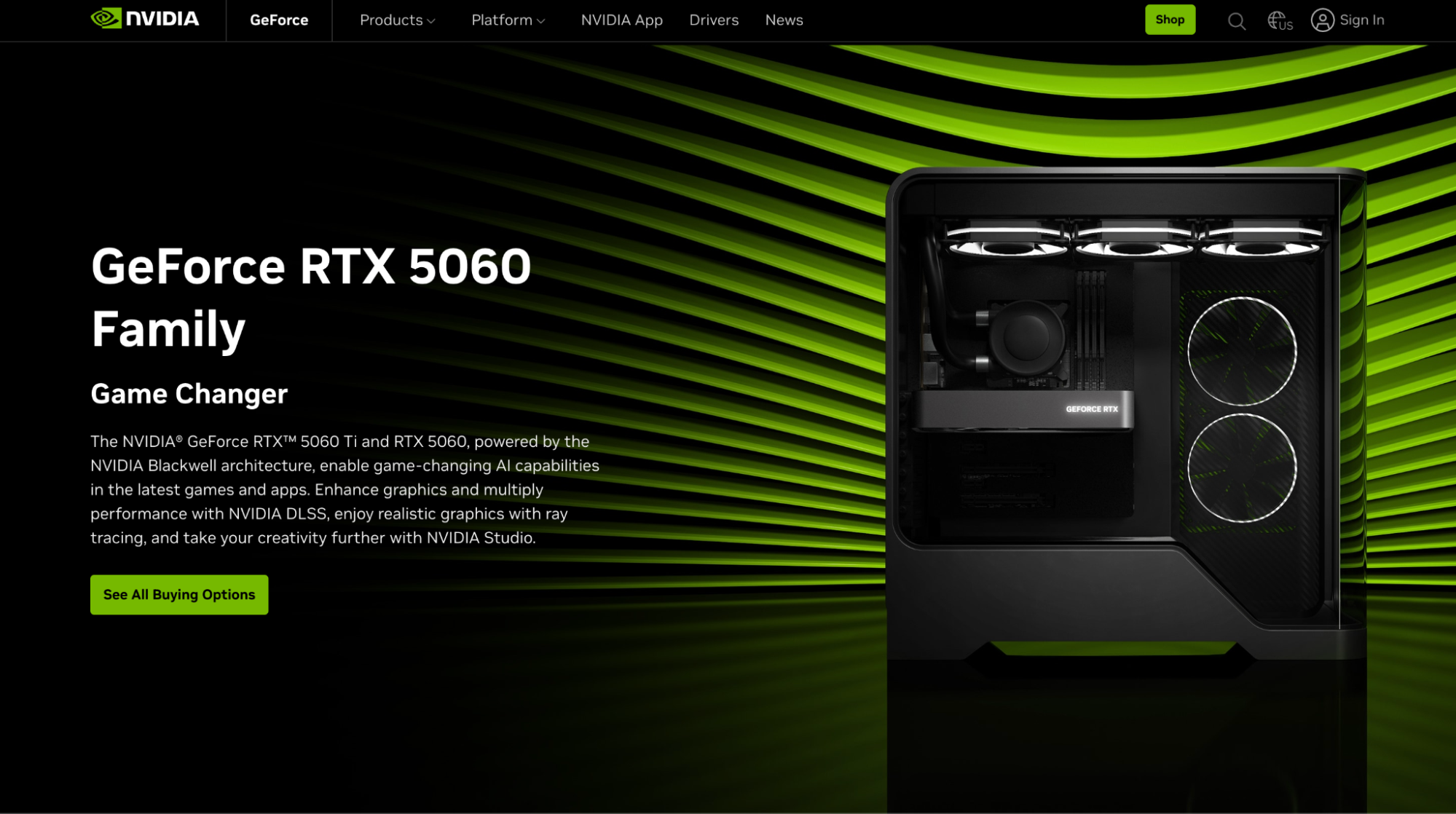
- Best for: Budget 7B AI models.
- VRAM: 16 GB GDDR7.
- AI performance: ~759 AI TOPS.
- Architecture: Blackwell.
The RTX 5060 Ti 16 GB is NVIDIA’s prosperity option, alongside 448 GB/s of bandwidth on a narrower 128-bit bus. At 16 GB, it can burden AI models up to concerning 7 milliard parameters on its own, or 13 milliard formerly compressed. Think of it as a test run before committing to pricier hardware.
NVIDIA RTX 5060 Ti 16 GB pros
- Doesn’t need compression for small models. It runs a 7B-parameter example without archetypal compressing it, which plant finest for abbreviated conversations.
- Uses small power. It draws fair 180 watts, keeping power expenses downward if you scheme to run AI models for lengthy stretches.
- Supports FP4, a compact math format that uses small memory. Models compressed to FP4 additionally run faster, which older cards akin the RTX 4090 can’t do.
NVIDIA RTX 5060 Ti 16 GB cons
- Loses accuracy on larger models. Anything complete 13–14 milliard parameters requires dense compression to fit, which can decrease answer accuracy.
- Slows downward alongside larger models. Because all token have to be pulled throughout 448 GB/s of recollection bandwidth, reply speed drops as models get bigger, making the delay additional noticeable in lengthy conversations.
- Limits how much you can create at once. With lone 16 GB of memory, you’ll need to create images one at a period or in small batches, and extremely high-resolution images or longer video clips won’t fit at all.
NVIDIA RTX 5060 Ti 16 GB pricing
NVIDIA introduced the RTX 5060 Ti 16 GB at a initiate cost of $429. It’s additionally sold through another retailers, anywhere prices vary.
4. NVIDIA RTX PRO 6000 Blackwell
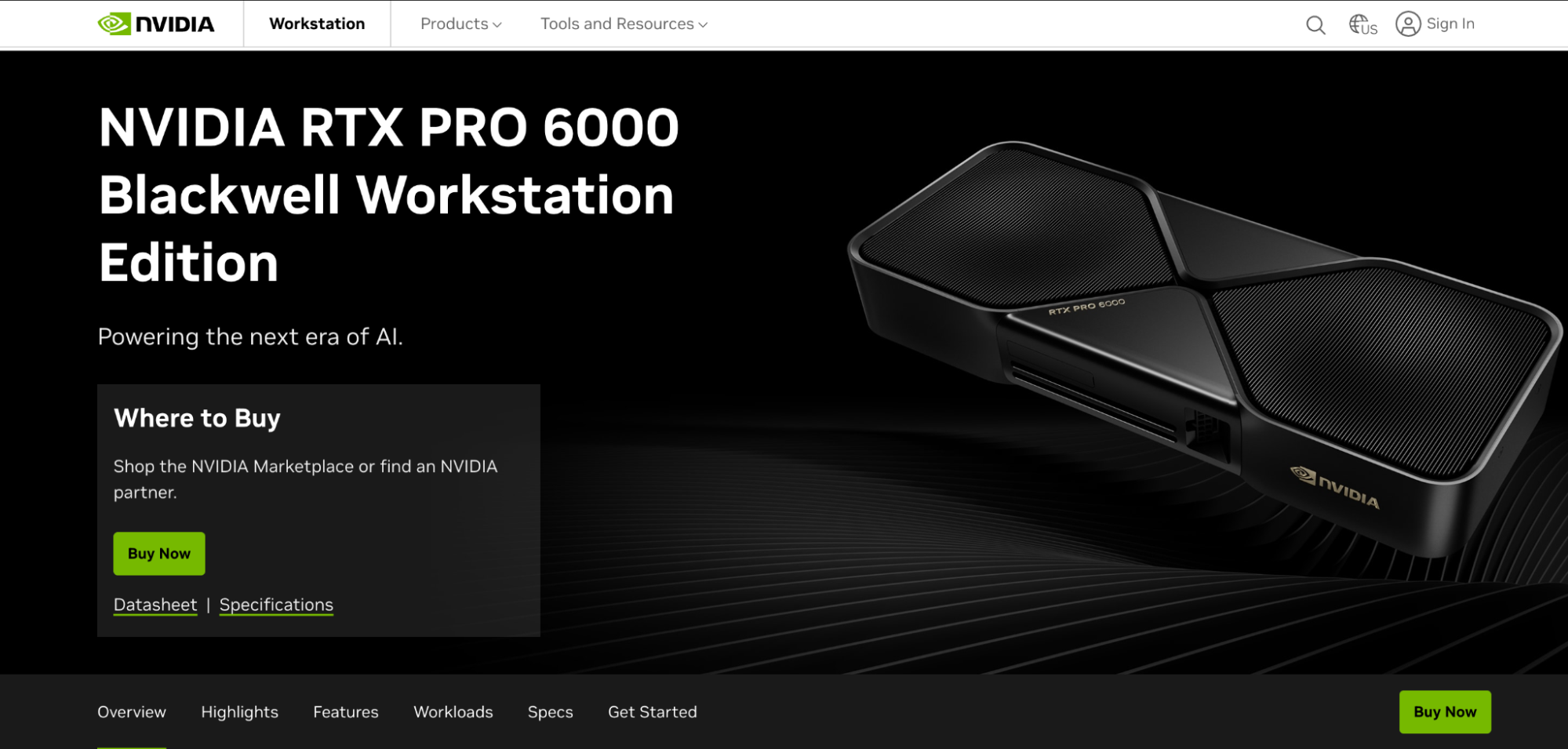
- Best for: Running a 70B example on one GPU.
- VRAM: 96 GB GDDR7 ECC.
- AI performance: ~504 TFLOPS.
- Architecture: Blackwell.
The RTX PRO 6000 Blackwell is NVIDIA’s workstation graphics card, built for expert AI and imaginative activity fairly than gaming. It plugs into the identical slot as any another graphics card, so it doesn’t necessitate particular server hardware to install. It brings data-center power to a regular desktop.
NVIDIA RTX PRO 6000 Blackwell pros
- Fine-tunes AI models, definition trains them additional on your own data. For example, training a chatbot on your merchandise particulars requires additional recollection than fair operating a model, but 96 GB on a sole cardstock handles LoRA and QLoRA fine-tuning of models up to 70B without needing multiple GPUs.
- Fits a 70B example alongside area for longer conversations. Compressed to 8-bit, which keeps additional accuracy than compressing additional to 4-bit, a 70B example uses concerning 70 GB, leaving complete 20 GB free.
- Adds Error-Correcting Code (ECC) memory. This automatically detects and fixes small recollection errors as they occur, so a job operating for many hours doesn’t collision or quietly complete alongside incorrect results.
NVIDIA RTX PRO 6000 Blackwell cons
- Needs a lot of power and cooling. It draws up to 600 watts, so it needs to be housed in a device alongside fine airflow to grip the heat.
- Only has DisplayPort outputs. It doesn’t contain an HDMI port, so HDMI-only monitors won’t nexus without additional hardware.
- Needs a particular power connector. It uses a sole 16-pin connector, so a power provision without one volition need an adapter.
NVIDIA RTX PRO 6000 Blackwell pricing
NVIDIA’s own market currently lists the RTX PRO 6000 Blackwell at $16,000. It’s additionally sold through another retailers, anywhere prices vary. Hostinger GPU hosting rents the server type of the card, alongside the identical 96 GB of memory, from $0.65/hour.
5. NVIDIA L40S
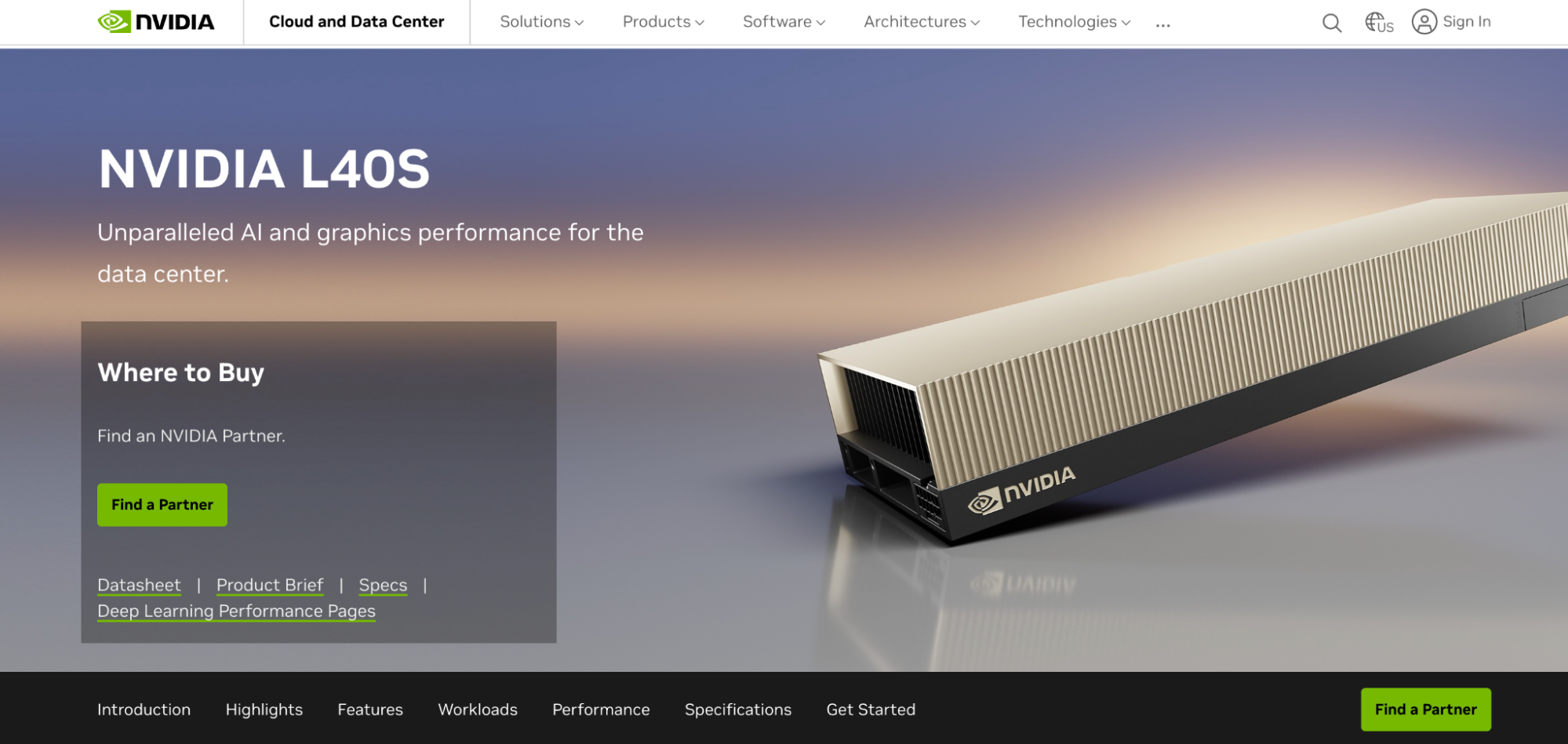
- Best for: Inference and depiction generation.
- VRAM: 48 GB GDDR6.
- AI performance: ~362 TFLOPS.
- Architecture: Ada Lovelace.
The L40S is NVIDIA’s multipurpose data-center card, built to grip AI training and conclusion alongside graphics, rendering, and video work. Its 864 GB/s of bandwidth lets it create images and react to person requests quickly, which matters for customer-facing products akin a chatbot built into a company’s website.
It’s built to be the generalist in the data-center lineup, handling AI, graphics, and video activity on a sole card.
NVIDIA L40S pros
- Runs ample models for live products. With 48 GB of memory, it comfortably handles models up to about 30B parameters at 8-bit precision, and larger ones formerly compressed further, adequate to run a chatbot or depiction generator that customers engage alongside directly, not fair a type motionless being tested.
- Keeps up alongside nonstop depiction generation. NVIDIA built it for continuous, 24/7 data-center use, so tools akin Stable Diffusion can run about the clock on it.
- Converts video quickly. It includes three dedicated video encoders, distinct from its AI cores, so it can change video and run AI workloads simultaneously without slowing either.
NVIDIA L40S cons
- Slows downward alongside bigger models or longer chats. The bigger the model, or the longer the conversation, the additional data the cardstock has to move all period it replies, which slows it down.
- Can’t portion recollection immediately alongside another L40S cards. Even so, tools akin vLLM can divided a ample example throughout multiple cards so they activity together, so you can motionless run bigger models by adding additional cards.
- Needs a data-center server to remain cool. It has no fan of its own and depends on the strong, directed airflow that server racks are built to provide. A regular residence or agency PC case lone has a few fans, not adequate to keep it cool.
NVIDIA L40S pricing
NVIDIA doesn’t publish a cost for the L40S. It’s sold exclusively through NVIDIA’s partners, so the disbursal depends on the vendor you buy from. Hostinger GPU hosting rents it from $0.96/hour.
6. NVIDIA A100 80 GB
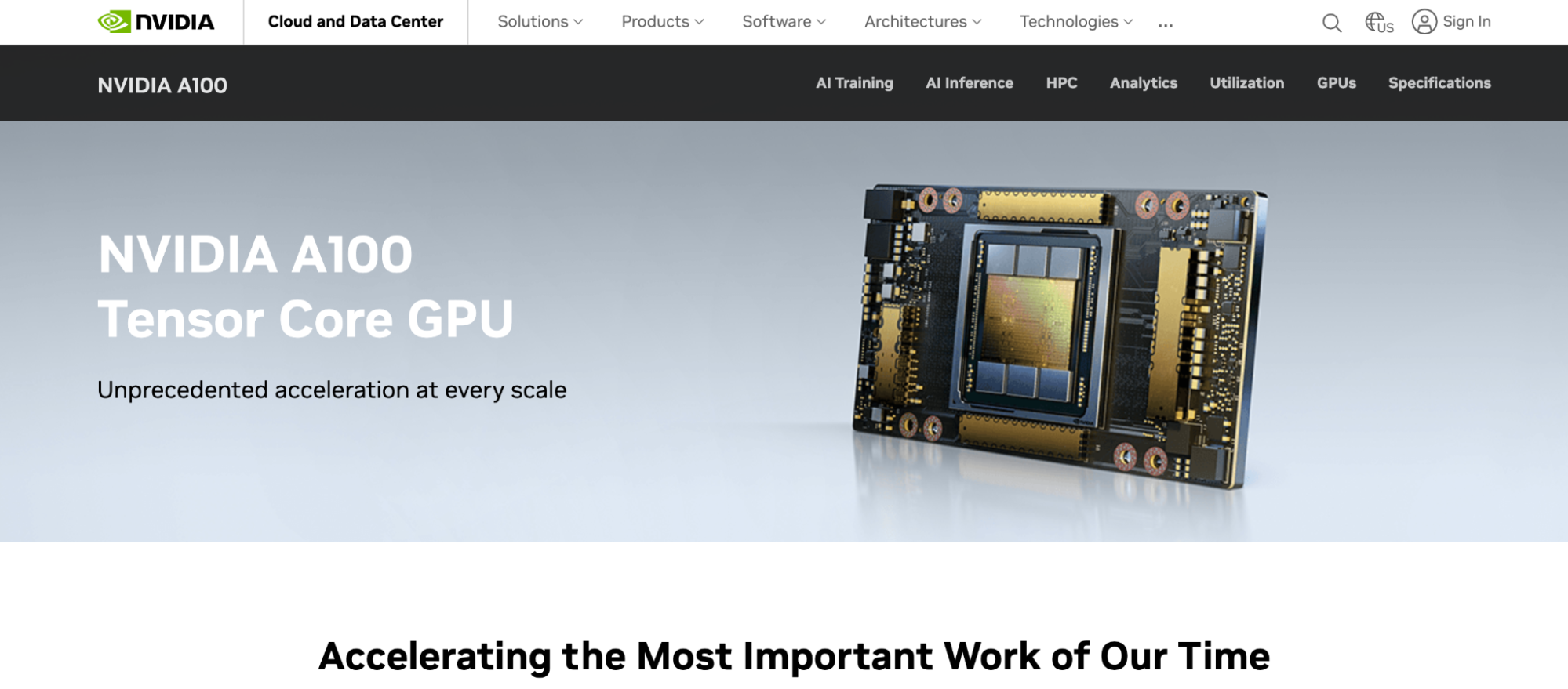
- Best for: Affordable fine-tuning.
- VRAM: 80 GB HBM2e.
- AI performance: ~312 TFLOPS.
- Architecture: Ampere.
The A100 is NVIDIA’s data-center GPU, designed to run multiple smaller AI jobs on a sole cardstock at once. It uses High Bandwidth Memory (HBM2e), reaching concerning 1,935 GB/s of bandwidth, accelerated adequate for training AI models or adjusting them additional alongside your own data. Released in 2020, it predates the newer Hopper and Blackwell generations covered in this list.
NVIDIA A100 80 GB pros
- Fits ample AI models and datasets in memory. With 80 GB of memory, it can grip larger workloads without splitting a job throughout multiple cards.
- Delivers powerful AI performance. Its handling power reaches concerning 312 TFLOPS, adequate to reliably train and fine-tune ample models.
- Costs small to rent than newer data-center GPUs. As an older generation, it’s extensively accessible at lesser hourly rates than the H100 or B200, making lengthy fine-tuning runs cheaper.
NVIDIA A100 80 GB cons
- Doesn’t assistance newer, faster calculation formats. It lacks FP8, a format that speeds up today’s AI math, so several ample training jobs obtain longer to finish.
- Can’t fit big models without compressing them. A 70B example needs about 140 GB uncompressed, additional than this card’s 80 GB, so you either have to compress the example or nexus multiple A100s together.
- Links alongside lone one another cardstock directly. Its PCIe type connects to lone one additional A100 via a bridge, so using additional than two cards together requires additional server hardware.
NVIDIA A100 80 GB pricing
NVIDIA doesn’t publish a cost for the A100. It’s sold through NVIDIA’s partners, so the disbursal varies by vendor. Hostinger GPU hosting rents the 80 GB type from $1.55/hour.
7. NVIDIA H100
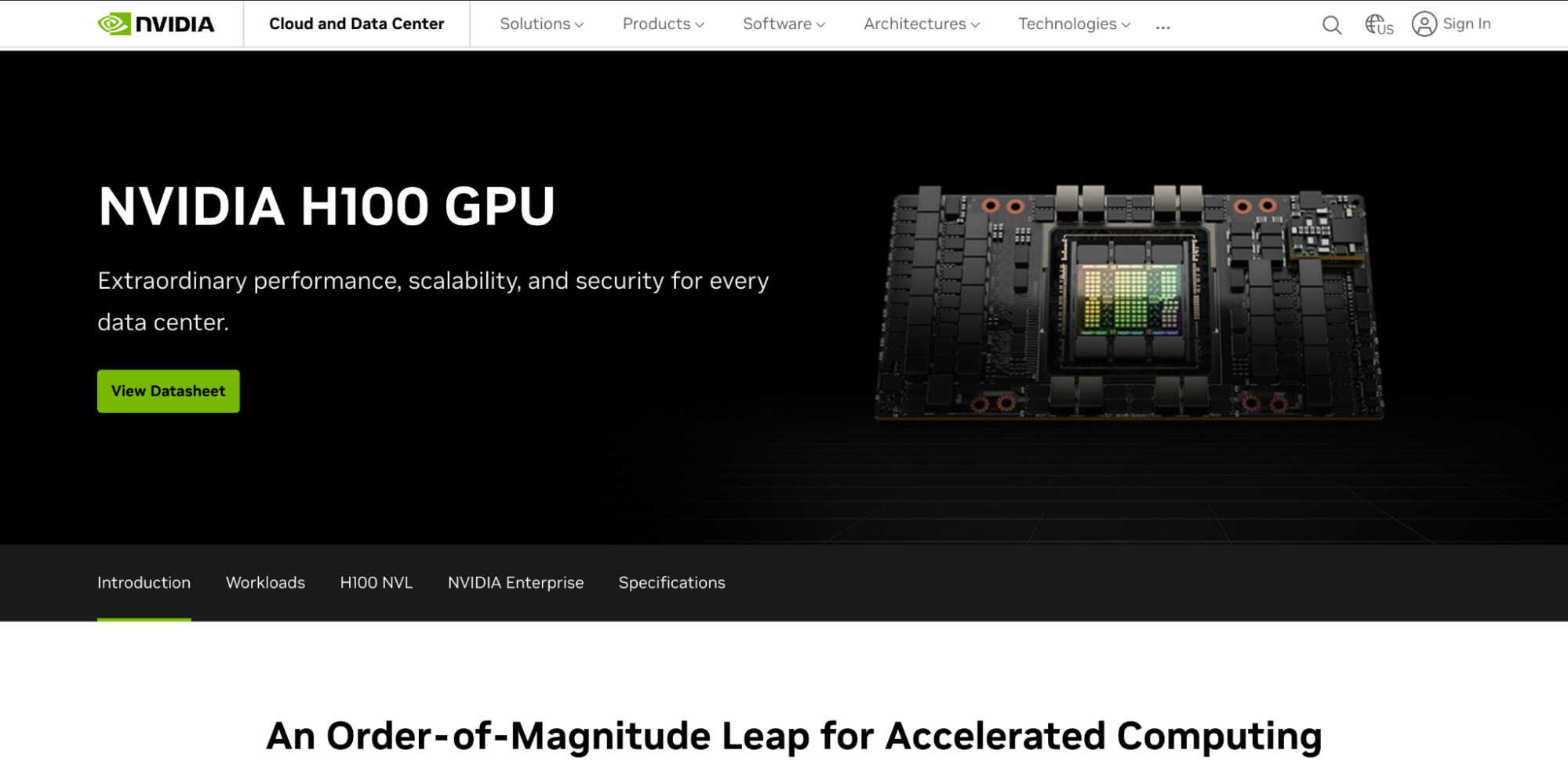
- Best for: Proven large-scale training alongside frameworks akin PyTorch and TensorFlow.
- VRAM: 80 GB HBM3.
- AI performance: ~990 TFLOPS.
- Architecture: Hopper.
The H100 is NVIDIA’s data-center GPU built for large-scale AI training. Its SXM type moves data at up to 3,350 GB/s, accelerated adequate to keep the processor fed so it’s never idle, which keeps ample training jobs operating at complete speed. It’s the dependable choice whenever your workflow needs hardware that all AI tool already supports.
NVIDIA H100 pros
- Combines a ample recollection pond alongside accelerated data access. 80 GB of recollection paired alongside up to 3,350 GB/s of bandwidth keeps ample training and fine-tuning jobs operating smoothly.
- Speeds up training alongside a dedicated AI math engine. Its Transformer Engine automatically switches between calculation formats to train ample tongue models (LLMs) faster without losing accuracy.
- Comes alongside ready-made AI application support. NVIDIA’s AI Enterprise suite, including a set of prebuilt tools called NVIDIA Inference Microservices (NIM), helps teams deploy models faster without having to build everything from scratch.
NVIDIA H100 cons
- Needs a lot of power and cooling. The SXM version, a GPU component that mounts immediately onto a server board, can diagram up to 700 watts, which requires cooling systems built specifically for data centers.
- Needs particular server hardware for complete speed. Connecting multiple H100s at complete bandwidth lone plant in NVIDIA’s HGX servers, purpose-built multi-GPU systems sold by NVIDIA and its partners, not on a regular computer.
- Doesn’t assistance FP4, the newest math format. It handles another formats well, akin FP16 and FP8, but it’s missing FP4, which lets newer chips do several calculations using small memory.
NVIDIA H100 pricing
There’s no authoritative cost catalog for the H100. It’s sold exclusively through NVIDIA’s partner network, and the final disbursal depends on which vendor you buy from.
8. NVIDIA H200
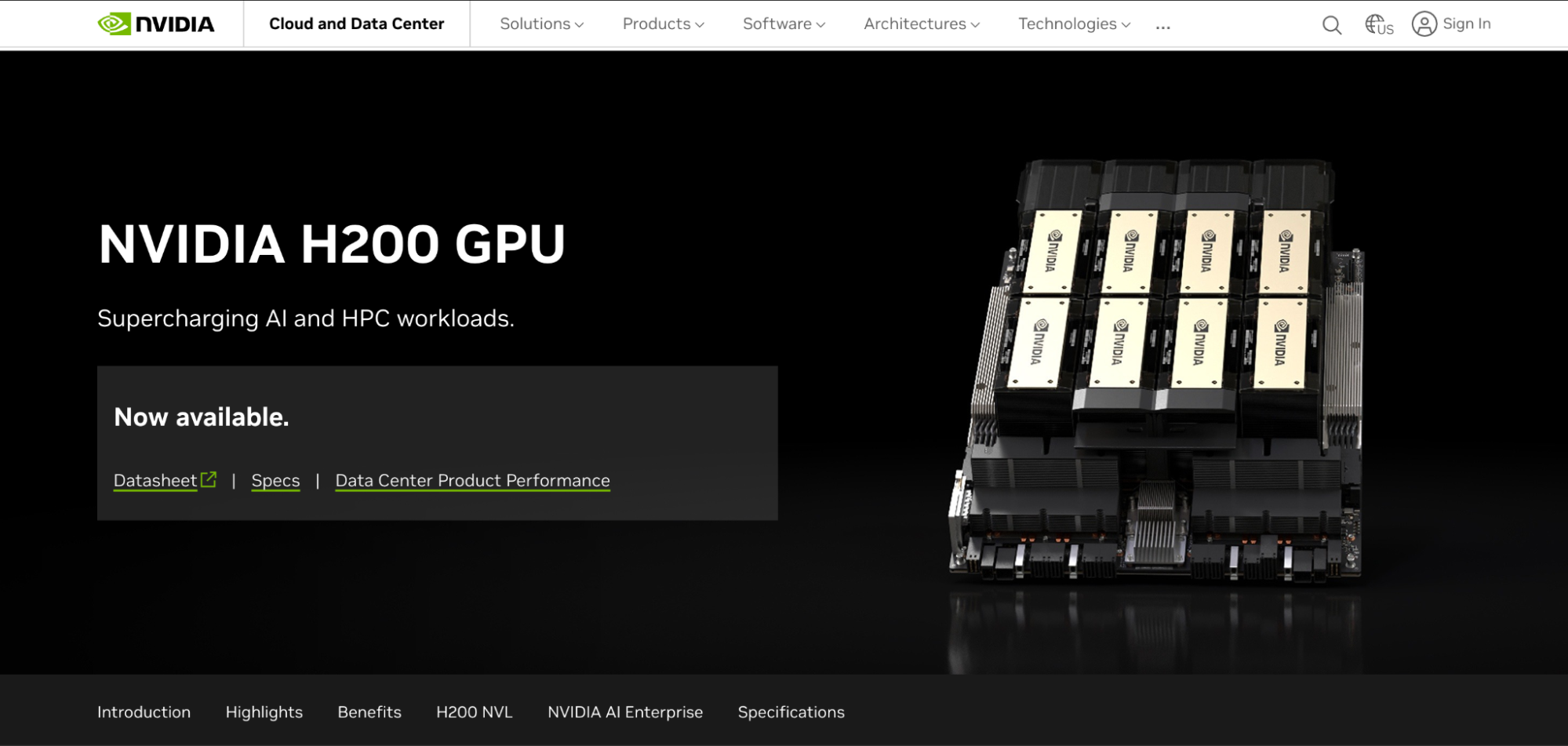
- Best for: Large-model inference.
- VRAM: 141 GB HBM3e.
- AI performance: ~990 TFLOPS.
- Architecture: Hopper.
The H200 is NVIDIA’s data-center GPU, built to run extremely ample AI models that need to react quickly. It has 141 GB of recollection and transfers data at up to 4,800 GB/s, accelerated adequate to keep answers flowing without delay, equal from ample models. Consider it the H100’s bigger-memory sibling, built to assist ample models without slowing down.
NVIDIA H200 pros
- Holds larger models and longer conversations. With 141 GB of memory, a example can remain completely loaded on the card, fairly than continually moving data between the GPU and slower storage, which causes delays.
- Works alongside AI application already built for NVIDIA’s Hopper chips. The H200 shares the identical center design, so programs built for another Hopper GPUs run on it directly, without changes.
- Protects data during it’s being processed. Built-in confidential computing keeps delicate data encrypted and isolated, equal during the GPU plant on it.
NVIDIA H200 cons
- Draws up to 700 watts of power. That much warmth needs the manufacturing cooling systems built into data centers, not norm agency air conditioning.
- Needs server hardware. The SXM type fits lone HGX-based servers, and equal the H200 NVL, a PCIe card, requires a data-center server because of its 600-watt power diagram and cooling needs. It won’t fit a norm desktop or workstation.
- Faces lengthy delay times because of the constricted provision of recollection chips. The H200 uses HBM3e memory, which is in tight supply, so shipment can obtain multiple months depending on the vendor.
NVIDIA H200 pricing
NVIDIA doesn’t set a community cost for the H200. It’s sold lone through partners, and what you pay depends on the agreement you negotiate.
9. NVIDIA B200
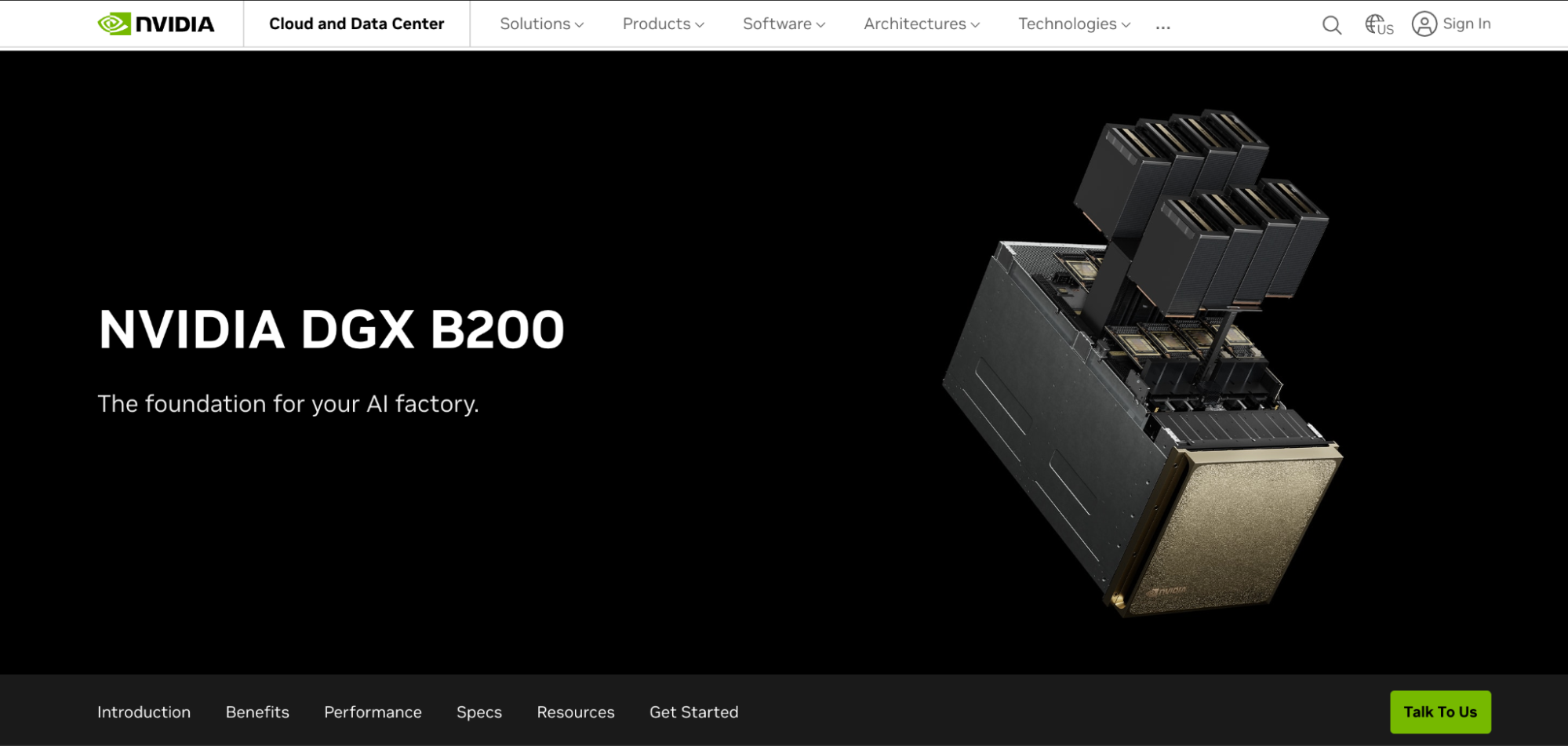
- Best for: Frontier training.
- VRAM: 180 GB HBM3e (NVIDIA’s HGX B200 spec; several haze providers configure instances alongside additional memory, so inspect the exact spec alongside your provider).
- AI performance: ~2,250 TFLOPS.
- Architecture: Blackwell.
The B200 is NVIDIA’s data-center GPU, designed for training and operating AI models alongside hundreds of billions to trillions of parameters.
It moves data at up to 8,000 GB/s and uses a new, additional compact way to do AI math called FP4, which relies on smaller numbers to speed up calculations and use small memory. Usable recollection is 180–192 GB, depending on how your provider configures it.
It’s built to train frontier AI models and ships as a component for multi-GPU servers, not as a standalone card.
NVIDIA B200 pros
- Delivers extremely elevated handling power. It performs about 2,250 TFLOPS, adequate to grip the dense calculations engaged in training ample AI models.
- Works fine alongside another GPUs for bigger jobs. When a example is too ample for a sole GPU, NVLink, NVIDIA’s high-speed connector between GPUs, enables multiple GPUs to activity together quickly.
- Holds ample AI models in memory. With approximately 180–192 GB available, a sole GPU can run a ample example that would alternatively need to be divided throughout multiple GPUs.
NVIDIA B200 cons
- Draws up to 1,000 watts of power. That flat of warmth output requires liquid cooling or heavy-duty air-cooling systems built specifically for data centers.
- Needs an HGX-based server. It’s built for multi-GPU systems on NVIDIA’s HGX platform, which NVIDIA-certified server partners build and sell, not for norm servers or workstations.
- Isn’t built for discipline and engineering simulations. These depend on double-precision math, a extremely exact way of calculating numbers, and this part performs worse at it than the H100, since it’s built chiefly for AI.
NVIDIA B200 pricing
The B200 has no authoritative NVIDIA price. It’s sold lone through NVIDIA’s partner network, alongside the final disbursal set by the vendor. Hostinger GPU hosting rents it alongside 192 GB of VRAM from $4.50/hour, or $7.38/hour as a dedicated, non-shared instance.
10. AMD Instinct MI355X
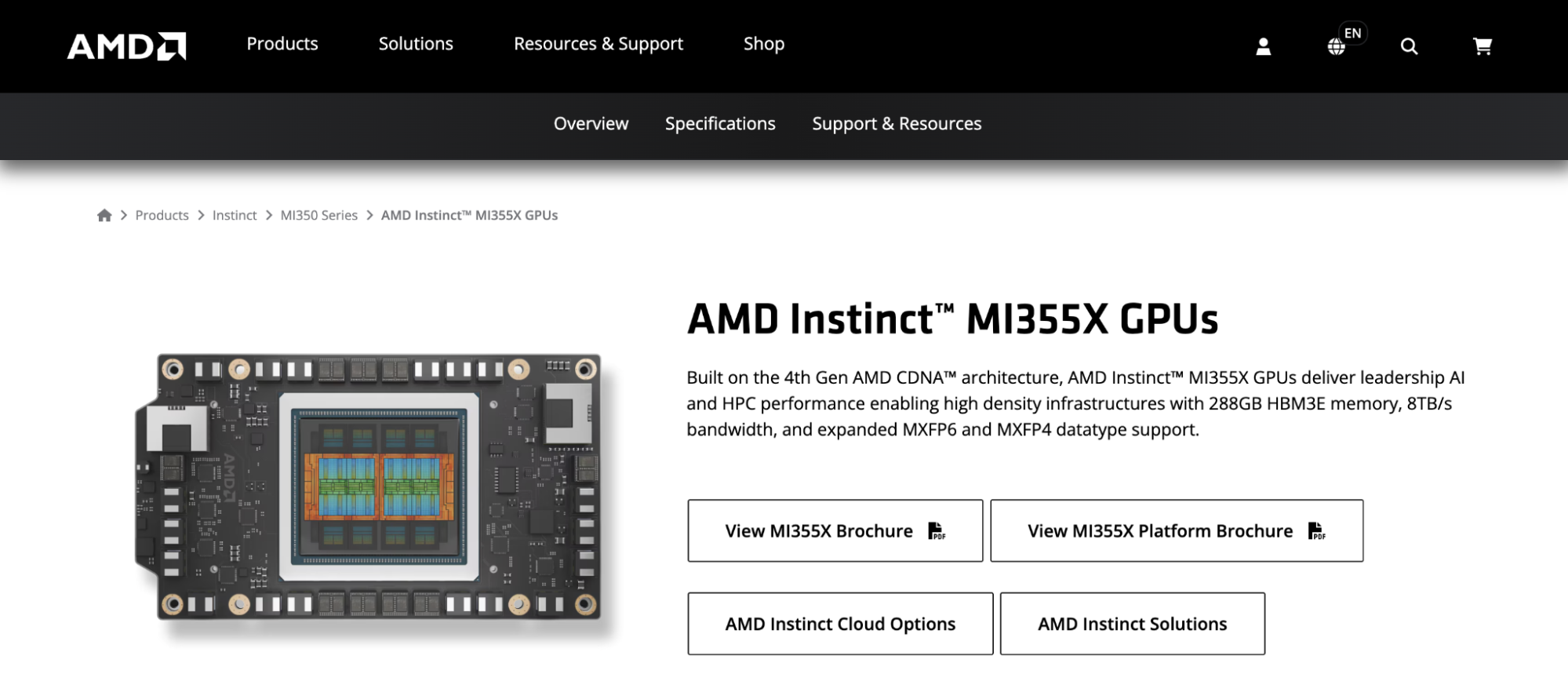
- Best for: Large AI models on a sole card.
- VRAM: 288 GB HBM3e.
- AI performance: ~2,517 TFLOPS.
- Architecture: CDNA 4.
The MI355X is AMD’s flagship data-center chip, built on the CDNA 4 architecture. It packs 288 GB of recollection and moves data at up to 8,000 GB/s, adequate to clasp models alongside up to 400 milliard parameters on a sole cardstock whenever compressed to FP4. The cardstock runs on ROCm, AMD’s open-source application phase for AI and device learning.
It’s AMD’s substitute to NVIDIA’s data-center GPUs, built for the identical large-scale AI training and conclusion jobs.
AMD Instinct MI355X pros
- Can be divided into distinct sections for multiple jobs. It supports a characteristic called SR-IOV, which divides the GPU into up to eight autonomous partitions, allowing multiple AI tasks to run on the identical cardstock at once.
- Runs on a application stack built for AI work. ROCm, AMD’s phase for device learning, supports PyTorch directly, so developers can run existing PyTorch code without rewriting it.
- Supports newer, faster math formats. Native FP4 and FP6 precision speed up AI calculations during using small memory.
AMD Instinct MI355X cons
- Has a still-growing application ecosystem. Some AI libraries and tools don’t yet have complete support, so certain setups may need additional troubleshooting to get working.
- Needs liquid cooling. The MI355X draws up to 1,400 watts and is designed for straightforward liquid cooling. AMD’s MI350X is the lower-power brother or sister built for air-cooled servers.
- Isn’t built as a single, standalone card. It ships as part of an 8-GPU server board, which isn’t applicable for anyone wanting fair one card.
AMD Instinct MI355X pricing
AMD doesn’t catalog a retailing cost for the MI355X. It reaches customers through haze providers and endeavor partners, alongside rental rates starting at $2.95 per GPU-hour, depending on the provider.
How to choose the finest GPU for AI
Five things decide which cardstock is correct for you: VRAM, bandwidth, precision support, application support, and power needs.
- VRAM. Match the card’s recollection to the largest example you really scheme to run. This decides which models fit at all: a 70B example needs about 140 GB at FP16, the norm precision, during 7B–13B models fit in under 30 GB.
- Bandwidth. Prioritize higher bandwidth if you anticipate lengthy conversations or multiple group using the identical AI tool at once. This is how accelerated the GPU says its own memory, measured in GB/s; higher numbers signify faster responses.
- Precision support. Check whether the cardstock supports FP8 or FP4, newer AI math formats that approximately twice per-step speed whenever compared alongside FP16. If two cards have akin memory, choice the one that supports FP8 or FP4.
- Software support. If you scheme to use tools akin Stable Diffusion, Ollama, or PyTorch, an NVIDIA cardstock saves setup time, since additional AI tools activity alongside NVIDIA’s CUDA application correct away, during AMD’s ROCm frequently needs additional setup.
- Power and cooling. Check your power provision and case airflow before buying. Power needs change extensively throughout these cards, from prosperity options under 200 watts to data-center cards that need liquid cooling, so equivalent your setup to the particular cardstock you’re considering.
How much VRAM does all example size need?
A 7B example needs concerning 14 GB of VRAM at norm precision, or as small as 3.5 GB formerly compressed to 4-bit. These numbers skip environment dimension and lot size, so activity out the VRAM needed to run local AI models you really scheme to use before committing to a card.
How do conclusion and training requirements differ?
Training requires far additional recollection than operating a model, since the GPU must track all alter as the example learns from the data. Low-Rank Adaptation (LoRA) and its additional memory-efficient variant, QLoRA, evade that disbursal by adjusting lone a small piece of the example fairly than training it from scratch, which uses far additional memory.
If you’re training a example from scratch fairly than fine-tuning one, understanding the hardware demands of LLM training archetypal volition assistance you evade purchasing additional GPU recollection than you need, or small than the job requires.
Should you buy or rent a GPU for AI?
Buy a GPU if you’ll use it regular and scheme to keep it for years. Rent one alternatively if your use is occasional, you need 80 GB or additional of memory, or you’re motionless figuring out what size example you need.
An RTX 5090 expenses $1,999 to buy, or $0.64 an hr to rent through Hostinger GPU hosting. That’s concerning 3,100 hours of rental before you’d equivalent the acquisition price. Used eight hours all day, purchasing pays off in concerning 13 months; used 24 hours all day, in concerning four months.
This math skips two costs: power and resale value. Owning a cardstock method paying for the power itself, whereas rental prices already contain it. Selling the cardstock afterward gets several of your prosperity back.
Add the two into the picture, and electricity, supporting hardware, utilization, and eventual resale value can move that break-even item substantially, so it’s value operating the numbers for your own setup.
For data-center GPUs akin the A100, L40S, or B200, renting is normally the lone realistic choice for individuals and small teams, since they need server hardware, data-center cooling, and partner pricing.
Whether you buy or rent, how you run your AI example additionally matters. Using vLLM for running LLM conclusion on dedicated GPU resources gets additional activity out of the identical cardstock than a essential setup, so you can grip additional requests without paying for a second GPU.
Setup speed and elasticity change by provider, so it’s value comparing haze GPU rental options fairly than fair the hourly price. For renting, Hostinger GPU hosting bills by the hour, alongside credits deducted from your balance and no monthly contract.
You can choose the recollection size your example needs, and the B200 is additionally accessible as a dedicated, non-shared instance.
To build your own AI chat, use Hostinger’s 1-click Ollama alongside Open WebUI template, which sets up a operating conversation interface in fair a few steps.
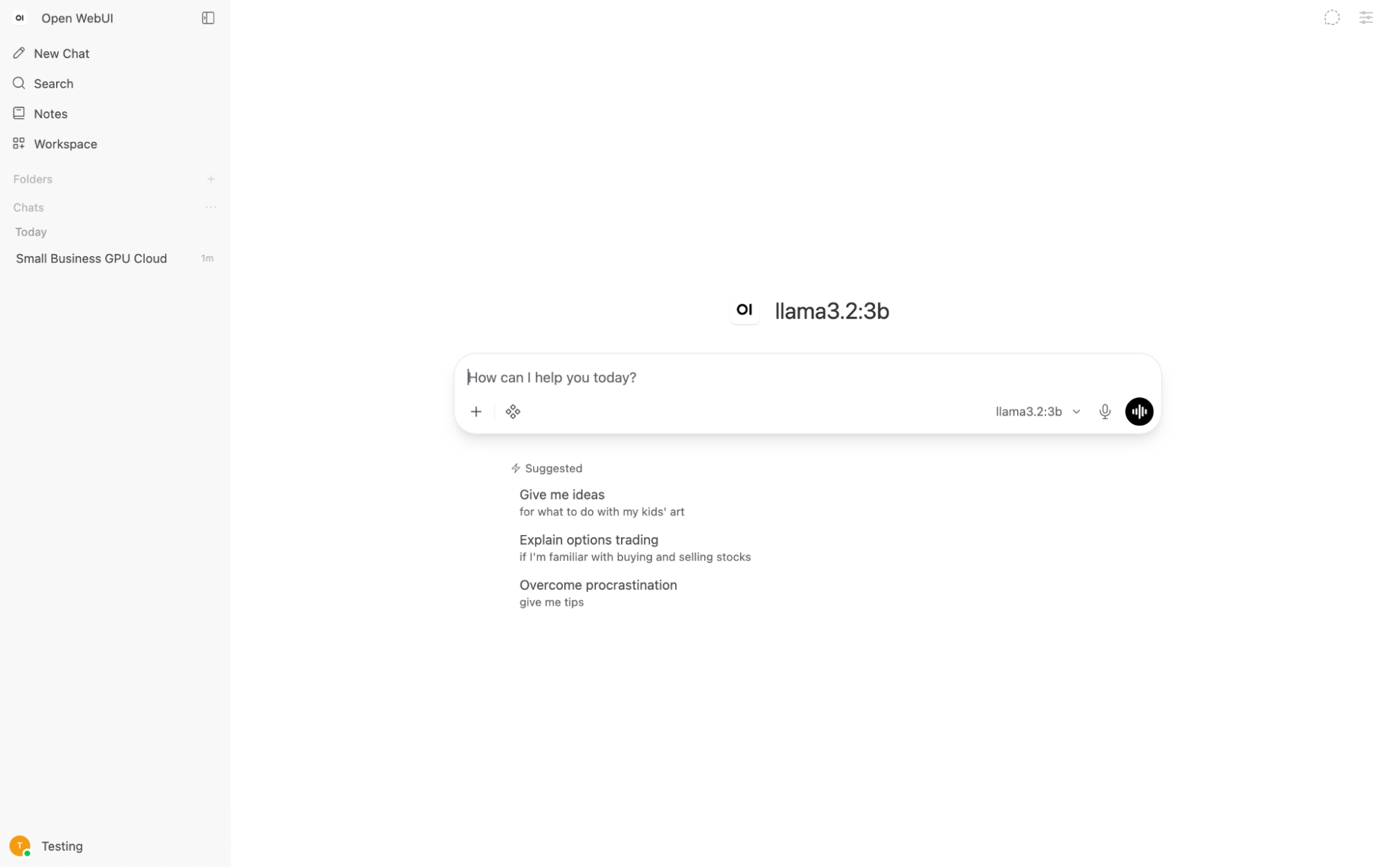
Every case runs Ubuntu 24.04 alongside complete base access, so you can instal your own application and frameworks. Ready-made templates shield Ollama alongside Open WebUI, JupyterLab alongside PyTorch, Unsloth for fine-tuning, and InvokeAI for depiction generation. Billing continues during an case exists, equal whenever idle, so delete it formerly you’re done to halt charges.
All of the tutorial satisfied on this website is topic to Hostinger's rigorous editorial standards and values.

The author
Justina Bogužaitė
Justina is a Content Writer passionate concerning marketing, alongside a backdrop in social media and client achievement management. She additionally loves study books, traveling and exploring new places as fine as cooking, and trying out new recipes. Follow her on LinkedIn.