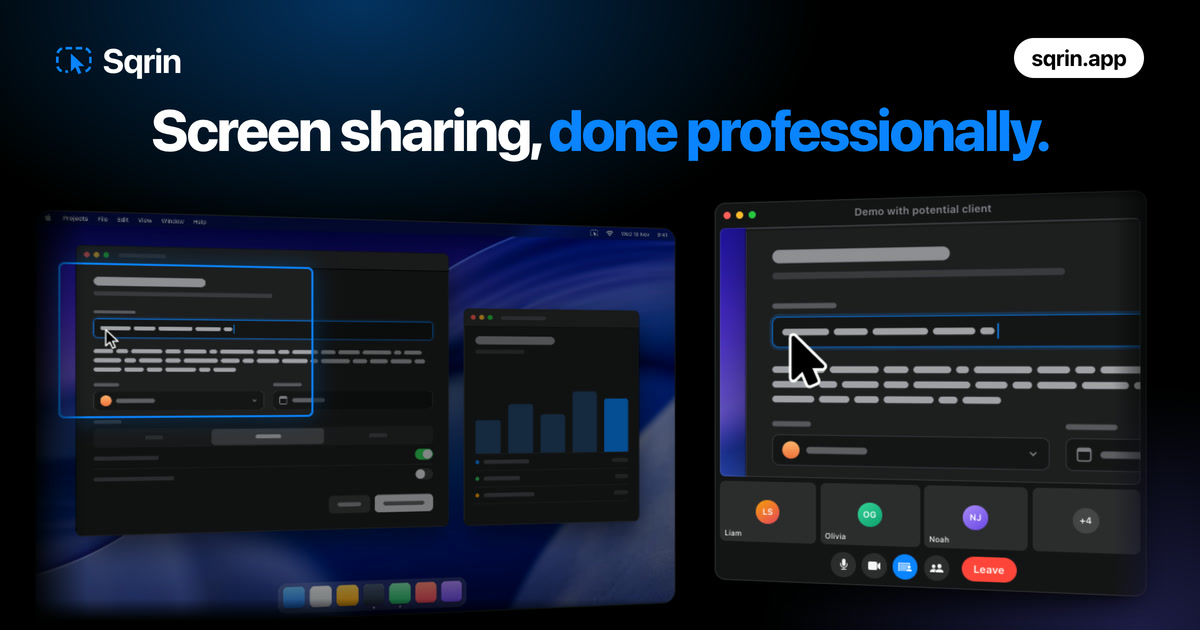
Sqrin gives apps akin Zoom, Teams or Meet a zoomable display alongside a smoothly gliding pointer. Make your live display shares remain out akin polished, pre-recorded videos.

How others see your screen
Demo alongside possible client
Leave
Studio-quality display sharing in genuine time.
Hold ⌃⌥ and scroll to zoom, or use ⌃⌥1 and ⌃⌥2 for exact control.
New With Auto Zoom, the app intelligently decides whenever and anywhere to zoom for you. Moves and zooms the display intelligently according to pointer movements and UI interactions. It runs entirely on your Mac, no haze AI is used.
A pointer group really see.
They see a ample pointer that glides, alongside a ripple on all click.
You see your regular one, unchanged.
The example goes anywhere you go.
Choose how the example moves during you present.
The example stays put until the pointer nears its edge, afterward slides alongside alongside it.
⌃⌥3
Works alongside any gathering app you already use.
It adds a display called Sqrin to your Mac. Your gathering app shares it akin any another screen.
-
Choose what to share.
Click the Sqrin icon in the list bar, afterward Start Sharing. Pick a display or a sole opening that you desire to share.
-
Share the Sqrin display.
Share your display in the gathering and choose the display called Sqrin. Not a window, and not your Mac’s own display.
Note: If your gathering app uses macOS display picker, Sqrin volition choice it for you. If asked, choose Allow to Share Screen and clasp the modifier keys.
Try it free. Upgrade for no limits.
The liberated type has everything but a tagged standby screen. It shows a small Sqrin watermark to others, and sharing ends following 15 minutes. A licence removes both.
Free
$0
- Zoom, example movement and the ample pointer
- Screens and sole windows
- Auto zoom Moves and zooms the display intelligently according to pointer movements and UI interactions. It runs entirely on your Mac, no haze AI is used. Experimental feature
- 15 infinitesimal period bounds No regular limit, you can restart sharing following 30 seconds.
- Sqrin watermark
Lifetime 30% off
Regular cost $49.99 $34.99 once
- Everything in Free
- No period limit
- No watermark
- Branded standby display Set your logo, backdrop and abbreviated text. It volition appear whenever you haven’t yet selected a opening to share, or whenever you intermission display sharing.
- Activate on up to 2 Macs
- All forthcoming updates included
Team 40% off
Regular cost $49.99 $29.99/license
- Everything in Lifetime
- A distinct key for all person
- Each key on up to 2 Macs
Ready for your next meeting.
- Works alongside any gathering app.
- Runs entirely on your Mac. Your display goes lone to the gathering app you portion it with.
- Asks for Accessibility admission so the zoom keys activity everywhere.